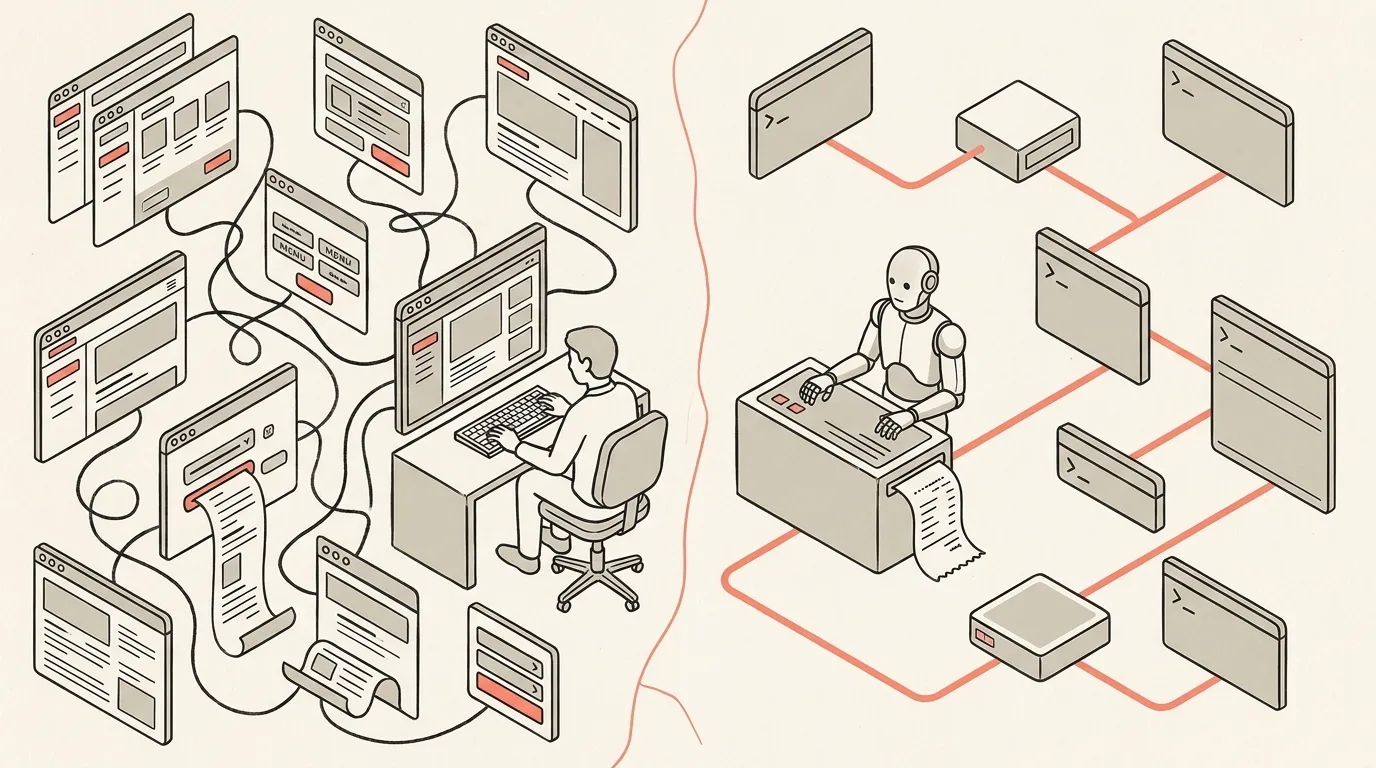
A Second Internet for AI Agents
Software has a second user now. Why I've rebuilt fourteen tools as agent-native CLIs, and why every API, dashboard, and dropdown menu is the wrong shape.
May 21, 2026
12 min read
Why We Need to Build a Second Internet for Our Agents
I’ve printed a CLI for fourteen things now. Facebook Marketplace last week. Before that, Shopify, Klaviyo, Ahrefs, Kit. Seats.aero for flight points — I booked a whole trip to Japan inside Claude Code using it. X Articles, so I don’t have to draft anything in their editor by hand. Most of these tools already had an official version. I rebuilt them anyway. The official ones aren’t built for agents — they’re built for the developers who set them up.
Quick definition if you need it: a CLI is a command-line interface. Instead of clicking through a website, you type one command and the data you want comes back. No browser, no buttons. Think of it like a drive-thru. Your agent rolls up to the window, places an order, the kitchen does the work, the food comes out. The API is the kitchen, where the actual data lives. The CLI is the menu at the window, what your agent is allowed to order and how to ask for it.
“Printing” one means building a custom, agent-first menu instead of using whatever the vendor ships. Here’s what the difference looks like in practice. Ask Shopify “how many orders did we get this week?” without a printed CLI, and your agent has to figure out what “this week” means in ISO 8601, find the right endpoint out of ~200, handle auth, deal with the 250-order cap per request, loop through all the pages, then parse and sum:
# figure out what "this week" means in ISO 8601
START=$(date -u -d "last monday" +%Y-%m-%dT00:00:00Z)

# first page — Shopify caps at 250 orders per request
curl -s -H "X-Shopify-Access-Token: $SHOPIFY_TOKEN" \
  "https://$SHOP.myshopify.com/admin/api/2024-01/orders.json\
?status=any&created_at_min=$START&limit=250" > /tmp/p1.json

# check Link header — if rel="next" exists, make another call
# repeat until the header is gone (could be 5+ more pages)

# once every page is collected, parse and sum
jq -rsc '[.[].orders[].total_price | tonumber] | add' /tmp/p*.json
With a printed CLI:
shopify orders --this-weekOne call. JSON back. Done. That’s the whole idea.
I didn’t start doing this as an experiment. Over the past year I’ve spent more and more time in the terminal, and at some point I stopped wanting to leave it. The useful thing about a printed CLI is that it works for both users at once: I can run it myself, and so can my agent. Same command. I started with the tools I was already using — whatever I’d normally open a browser tab for — and printed a CLI for each one. Now my agents use those instead of whatever official CLI exists, or just hitting the API directly.
We spent thirty years making software for one user. The person at the keyboard. There’s a second one now, and almost every interface we have is the wrong shape for it. CLIs, MCPs, skills: different names for the same shift. The people building these right now are early. They’re also building infrastructure for a second internet. They just don’t always think of it that way.
There are two users now
Most software assumes the user has eyes, can scroll, and can hesitate over a button. Agents have none of that. An agent doesn’t see a CTA. It can’t tell that the developer docs page assumes you already read the quickstart.
Point an agent at normal software and what it walks into is a buffet built for somebody else:
- Shopify: ~200 endpoints
- Klaviyo: ~200 endpoints
- Google: 300+ separate APIs, each with its own auth, its own SDK, and its own special kind of OAuth hell
An agent landing on that doesn’t need a list. It needs a route.
Matt Van Horn has the best line on this: an official CLI is “here’s all of San Francisco, good luck finding the place.” An agent CLI is Google Maps. The first one is true. The second one is useful.
The other analogy that won’t leave my head is the drive-thru. Picture pulling up and the menu they hand you is the Cheesecake Factory’s. Twelve pages. Eggs, pancakes, every sandwich variation, three pages of sides. The car behind you is honking. By page four you’ve given up and you order the basic thing. That’s what happens when you point an agent at two hundred endpoints with no opinion. It flips through call by call, burns tokens reading the menu, and most of the time it grabs the endpoint it recognizes and misses the actual answer.
A printed CLI is a drive-thru with a real drive-thru menu. Six things. “Orders this week.” “Top customers.” “Low inventory.” Glance, order, pull forward.
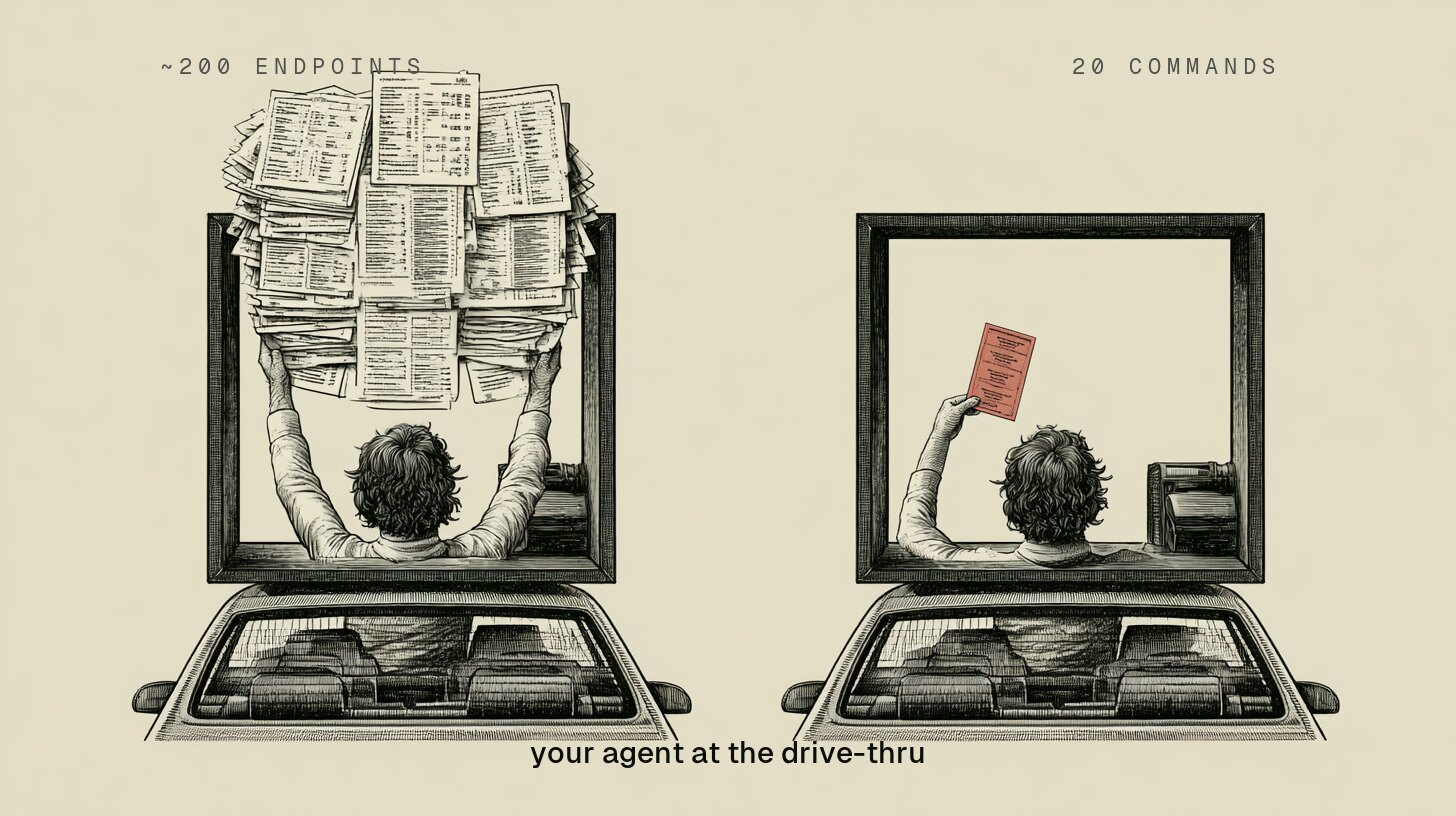
Two hundred endpoints, or twenty commands. Same kitchen. Two windows.
Tokens are the surface. The mechanism is deeper.
Someone asked me last week if the whole reason to print CLIs for my agents is to save tokens. Yes. Reading a six-item menu costs less than scanning a twelve-page one. That part is real. It’s not the point.
Here’s what’s actually going on. Your agent is a guessing machine — that’s what a large language model is. Probabilistic: given any situation, it picks the most likely next action out of thousands of possible ones. Usually right. Never certain. A CLI is the opposite. Same input, same output, every time. Deterministic: one path, no ambiguity, no second-guessing. A CLI doesn’t stop your agent from guessing. It shrinks the place where the guess matters to one decision: which command to call. Everything after that is locked — the endpoint, the order of operations, the shape of what comes back.
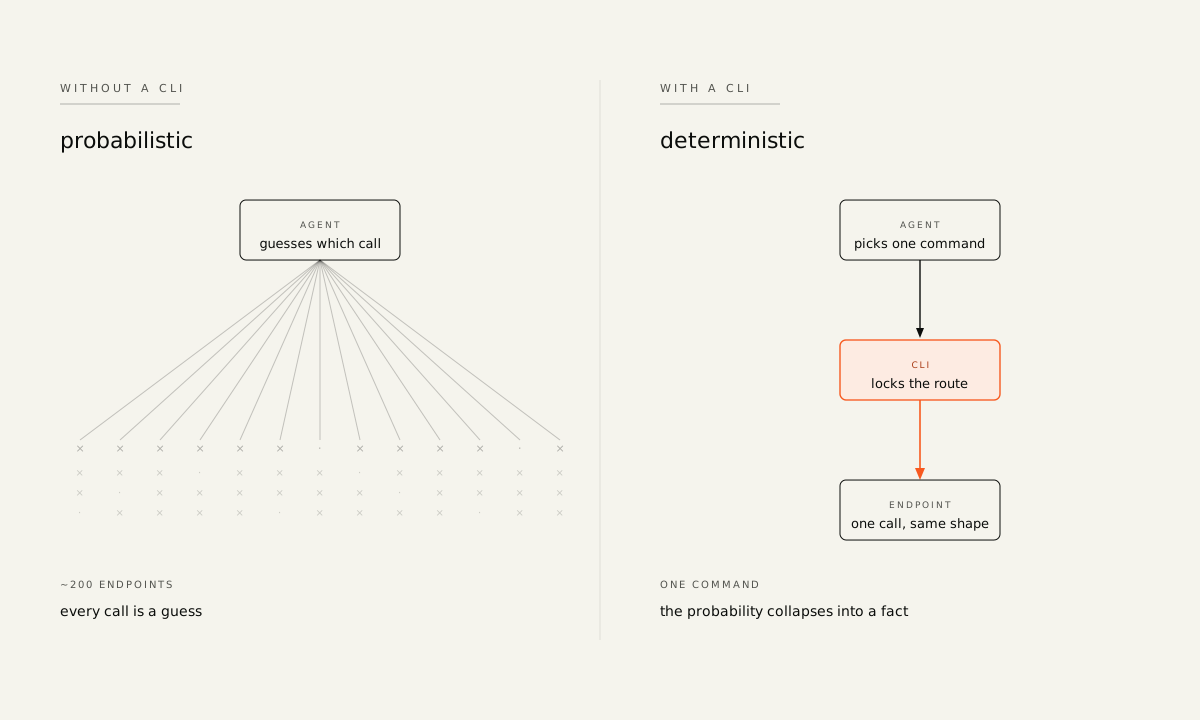
Same agent, two shapes. The CLI moves the guess to the only place that’s cheap.
That’s the real trade. Four things fall out of it.
Four reasons agent-native CLIs usually beat the official ones
1. The guess surface shrinks. With two hundred endpoints, an agent is guessing which endpoint, what fields, what date range, what format, what auth scope. With twenty commands, it picks the command, and everything else is decided for it. Every decision you remove is one less place for it to hallucinate.
2. Dry-run is built in. Good agent CLIs have a preview baked into the dangerous commands. The agent runs the command, you see “about to update 47 customer profiles,” and you decide whether to let it go. Raw APIs don’t have that. The agent just fires, and you find out what happened from a customer email.
3. The same command works everywhere. The CLI I use inside Claude Code, I can also run from:
- a shell script
- a cron job at 6am
- a delegated agent
- Codex or Cursor
- any terminal on any machine
The thing I taught my agent on Monday runs on a schedule on Tuesday without me there. This is the quiet thing that makes printed CLIs different from MCPs. MCPs live inside the chat client. CLIs go everywhere a shell goes. It’s a desk phone vs a cell phone — it travels with you.
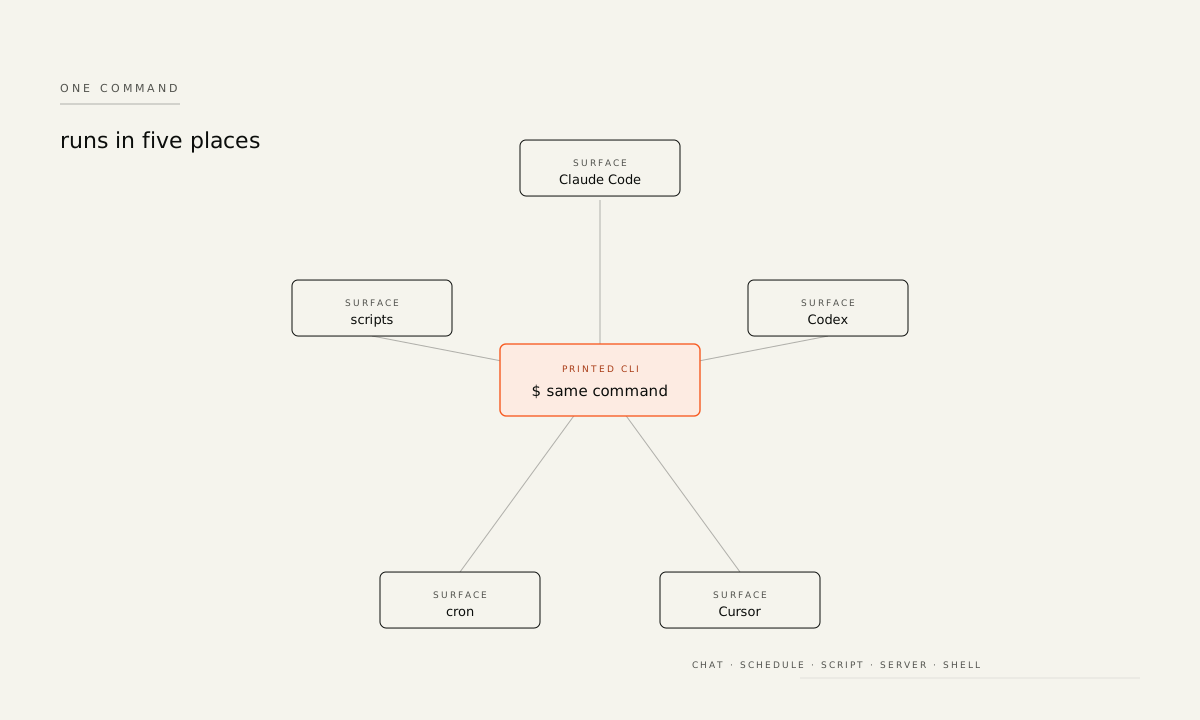
Same command, five places. CLIs go anywhere a shell goes; MCPs don’t.
4. The output stays the same shape. APIs change. Vendors add fields, rename things, deprecate stuff overnight. A CLI sits between you and the vendor, and when the vendor wiggles, the CLI absorbs it. Your agent keeps working. And every command leaves a log. What ran, when, with what inputs, what it touched. Try reconstructing that from a chat transcript.
So yes, tokens. But what you’re really buying is fewer wrong calls, a safety gate on the dangerous ones, the same tool working in five places, and output you can trust the shape of.
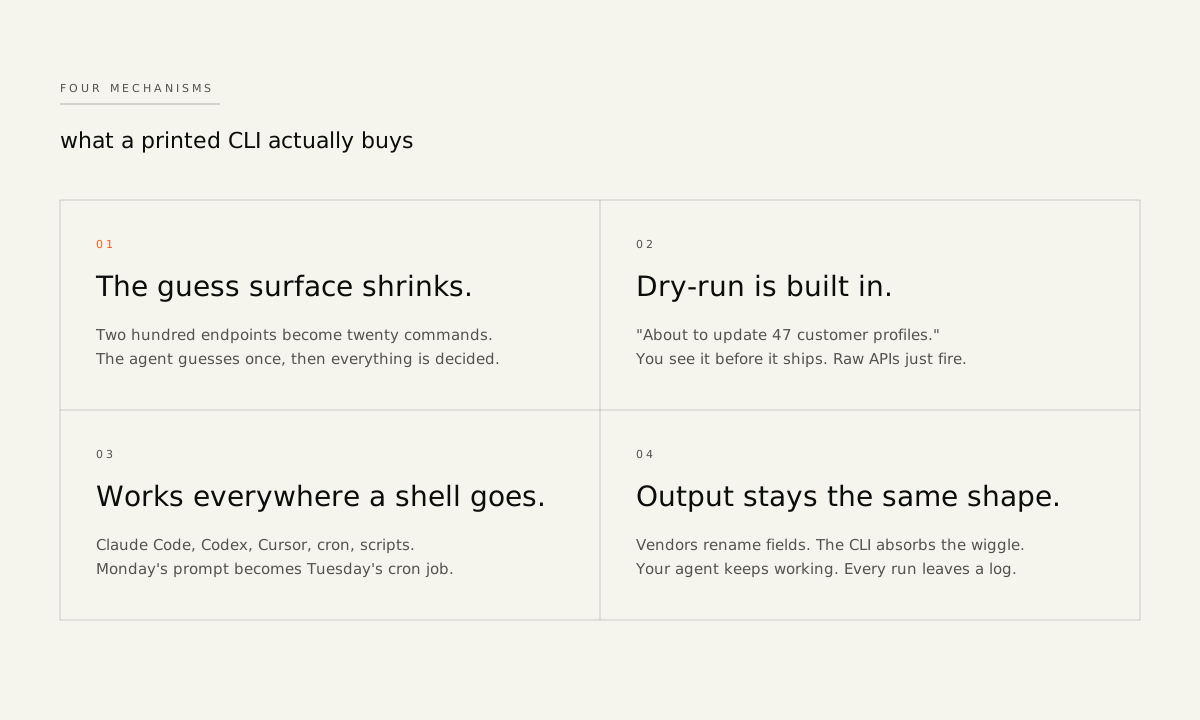
Tokens are the surface. These four mechanisms are the real trade.
People are now printing CLIs for things that never had APIs
The first person I know who started doing this is @steipete, the guy behind OpenClaw. He wanted his agents to have more control than the official Google tools were giving him, so he wrote his own Google CLI. His version ended up outperforming Google’s official one when it finally shipped months later. He didn’t set out to compete with Google. He set out to give his agent something it could actually use.
Then there’s Matt Van Horn. I first met Matt because of a Claude skill he built called Last 30 Days. It searches Reddit, X, YouTube, and Hacker News from the past month, scores results by what people actually engage with, and synthesizes everything into a brief. Then he went bigger and built the Printing Press with Trevin, along with a library of CLIs it’s already generated. You point it at any API and thirty minutes later you have a polished, agent-native CLI on the other end. Even better: if a service doesn’t have a public API, the Press sniffs the website and finds the secret endpoints anyway.

@mvanhorn ·
View on X
The architecture has three input paths:
- API Spec: if a service has an official API spec, the Press reads it.
- Browser Sniff: if it doesn’t have a public API, the Press sniffs the network traffic from a logged-in browser session and finds the private endpoints anyway.
- Crowd Sniff: if enough people are using the same hidden surface, the Press can turn that shared traffic into a reusable CLI.
Any path outputs a printed Go CLI, a Claude Code skill, an OpenClaw skill, and an MCP server. Same underlying tool, four surfaces. That’s how it found the ESPN and Facebook Marketplace APIs — neither of which were ever meant to be found.

@cathrynlavery ·
View on X
ESPN doesn’t have a public API. The Printing Press doesn’t care.
Facebook Marketplace doesn’t either. I printed this one because I swear if I can sell stuff in my house without ever having to deal with the “Is this still available?” messages and have my agent handle the whole thing, I am in.
X Articles. Same deal. And here’s the other thing: even when an official CLI exists, the printed version is often better. Shopify has a shopify CLI. Klaviyo has an SDK. Ahrefs has documentation. None of them are designed for agents — they’re designed for the developer who reads the docs once and sets things up. The output is formatted for human eyes, there’s no dry-run on the dangerous commands, and the token cost is whatever it is. A printed CLI is designed from the start for a reader that doesn’t scroll and needs clean JSON back.
People are now printing CLIs for tools that were never built to have them, and reprinting the ones that were. Will I personally ever run the ESPN one? No, I will not. But that’s the shift. Every tool with a website is becoming reachable from a terminal, because the new user lives in a terminal. Which is the second internet taking shape, one tool at a time, whether the original vendors know it or not.
The story of the X Articles CLI
X Articles is the cleanest example I have of this in my own work, because I lived through both versions of it.
X has an API for tweets. It does not have one for long-form articles. I write everything in Markdown, and I wasn’t going to keep pasting into their editor by hand, so I built a Claude skill for it. The skill drove a browser through the posting flow:
- Click “compose article”
- Paste the title and body
- Position the cover image
- Hit save
It worked. But it was slow, token-heavy, and brittle. A weird character, a missed click, a header that didn’t render, and I’d spend twenty minutes cleaning up a draft.
The CLI version is one command. No browser. Reads the Markdown file, posts it. Done.
Same outcome. Different shape. The skill was a workaround built for an agent inside a browser. The CLI is what the agent actually wanted in the first place.
The next question for anyone building software
Your next user might still be a human at a keyboard. It might be an agent running in a cron job at 4am. Most likely, it’s both, and they want different things from the same software. The dashboard you spent two years polishing? Your human user loves it. Your agent user is choking on it.

@cathrynlavery ·
View on X
The split is here whether the vendors planned for it or not.
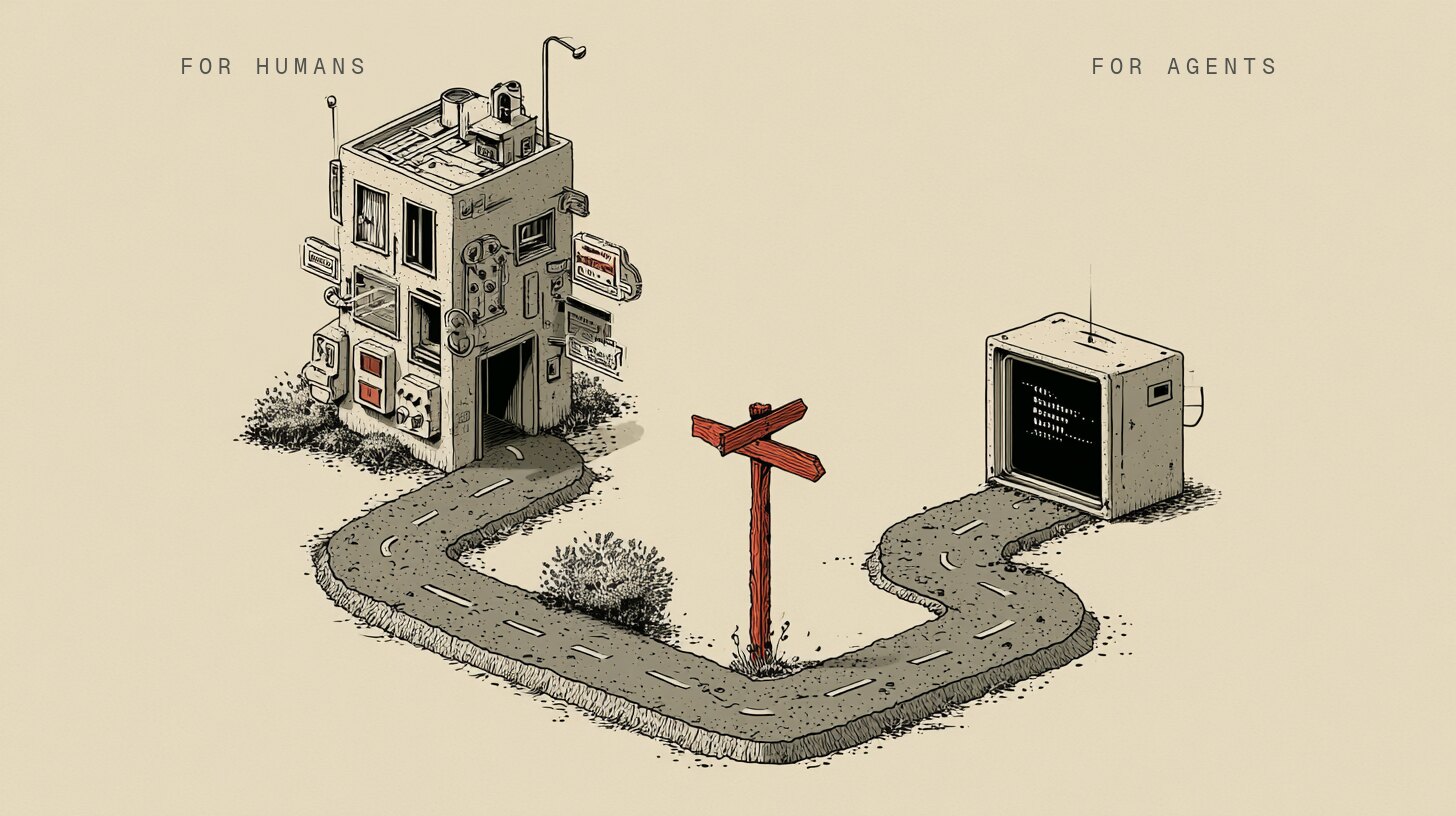
Two users, two interfaces. You’re going to ship for both.
Think about what it means to have two readers for the same website.
The human version: your homepage, your pricing page, your CTA. Your agent doesn’t see any of that. It calls the endpoint. It reads the response. It executes or it doesn’t. Already true. Already a gap.
CLIs are the visible tip of it, because the before/after is easy to show. But the same split runs through everything:
- How does your documentation read to an agent deciding which tool to use?
- What does a buying guide look like when the buyer doesn’t scroll?
- How do you advertise to a user who never opens a browser, but is placing orders at 4am on a cron job?
Nobody has those answers yet. The people printing CLIs now aren’t setting out to build a new internet. They’re building whatever their agent needs to do the work, because the existing infrastructure keeps getting in the way. What they’re building to route around it is the second internet, before it has a name.
Every time I open a browser tab now, I ask: does this need a CLI? Usually yes. But the real question underneath is: what does this look like to the user who doesn’t open a browser at all?
Three prompts to get started
If you want to find out where you stand, here are three you can paste directly into Claude.
Find what to print first — give it your tool stack:
List every tool, app, or website I open more than a few times a week. For each
one: does an agent-native CLI exist? If not, what would the five most-used
commands be if one did? Rank by how much time I'd save if my agent could use it
directly from a terminal.
See your business from an agent’s perspective:
Imagine an agent running my business autonomously — handling [describe your
daily ops: orders, reporting, customer emails, inventory, whatever applies].
Walk through a typical day. Where does it get stuck? What's it opening a
browser for that it shouldn't have to? What would it need that doesn't exist yet?
Audit your own product or API for agent-friendliness:
Review [paste your API docs or describe your product]. What would need to change
for an agent to use this without human help? Flag: output formatted for reading
instead of parsing, missing dry-run on destructive commands, auth that requires
a browser, and any endpoint that requires reading docs to use correctly.
The tools
- printingpress.dev — 160 printed CLIs and growing. Amazon Seller, Amazon Orders, Instacart, ElevenLabs, Facebook Marketplace, and more. Browse by category or generate your own. The Press can generate a Go CLI, Claude Code skill, OpenClaw skill, and MCP server from an API spec, HAR, or website.
- The Printing Press — the open-source factory behind it, built by Matt and Trevin. Point it at any API or website and get an agent-native CLI back in about thirty minutes.
- CLI library on GitHub — the full list of what’s been generated, browsable by category.
- OpenClaw — @steipete’s agent infrastructure project.
- Last 30 Days — Matt’s skill for monthly trend synthesis across Reddit, X, YouTube, and Hacker News.

Written by
Cathryn Lavery
Cathryn went from designing buildings to architecting products. She founded BestSelf, bought it back from private equity in 2024, and rebuilt it AI-native. She's currently building something new in AI. Little Might is where she doesn't have to keep it all in her head.
Related reading
-
Jun 10, 2026
How to set up multiple Macs for always-on AI agents
-
Jun 1, 2026
How to Access Your OpenClaw or Hermes Agent From Anywhere
-
Apr 20, 2026
How I Rebuilt My AI Agent Team After Anthropic Cut Off OpenClaw
-
Apr 13, 2026
What Is g-brain? Garry Tan's gbrain, Explained
-
Feb 16, 2026
Why Your OpenClaw Agent Doesn't Remember You